Introduction
Digital signage has transformed how businesses communicate with customers, employees, and visitors. From retail stores and restaurants to corporate offices and healthcare facilities, digital displays are replacing traditional printed signage.
At the heart of every modern digital signage network is the Android Digital Signage Player. These devices connect displays to a centralized content management system, enabling businesses to update content remotely and manage screens efficiently.
What Is an Android Digital Signage Player?
An Android Digital Signage Player is a dedicated device that runs Android-based software and connects to a display screen.
The player receives content from a cloud-based content management system (CMS), stores media locally, and plays scheduled content on connected screens.
Common content includes:
Images
Videos
Promotional banners
News feeds
Menus
Announcements
Dashboards
How the System Works
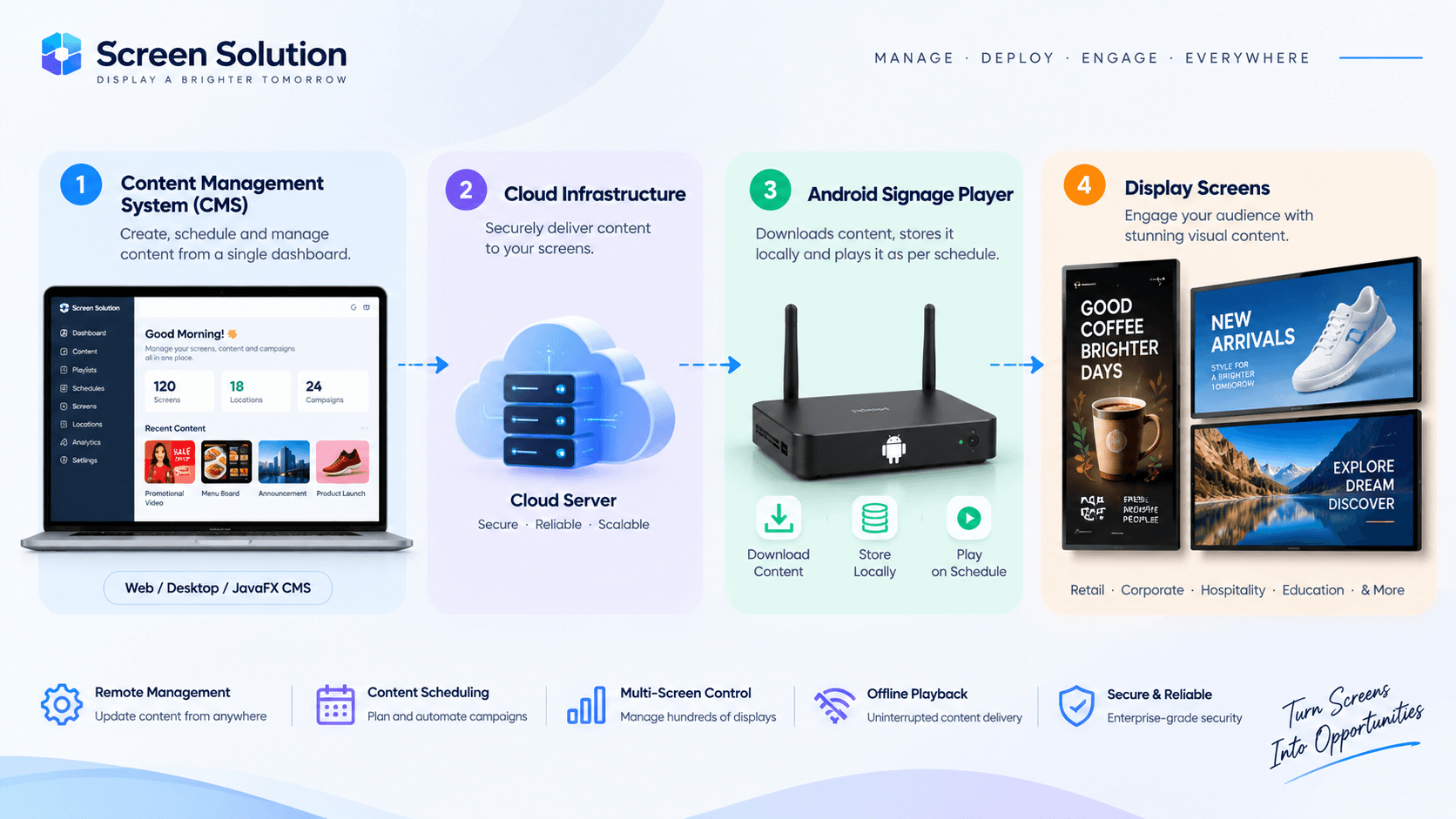
A typical digital signage deployment consists of three components:
1. Content Management System (CMS)
The CMS is where administrators create content, schedules, and campaigns.
Using a centralized dashboard, organizations can manage hundreds of displays across multiple locations.
2. Cloud Infrastructure
Content is uploaded to the cloud and synchronized with connected players.
This allows businesses to update screens remotely without visiting physical locations.
3. Android Signage Player
The player downloads content, stores it locally, and displays it according to the schedule defined in the CMS.
Benefits of Android-Based Signage Players
Remote Management
Administrators can manage screens from anywhere.
Cost Effective
Android devices offer enterprise capabilities at a lower cost compared to proprietary hardware.
Easy Deployment
New displays can be added quickly with minimal setup.
Flexible Content Support
Players can display videos, images, HTML content, dashboards, and live data feeds.
Offline Playback Capability
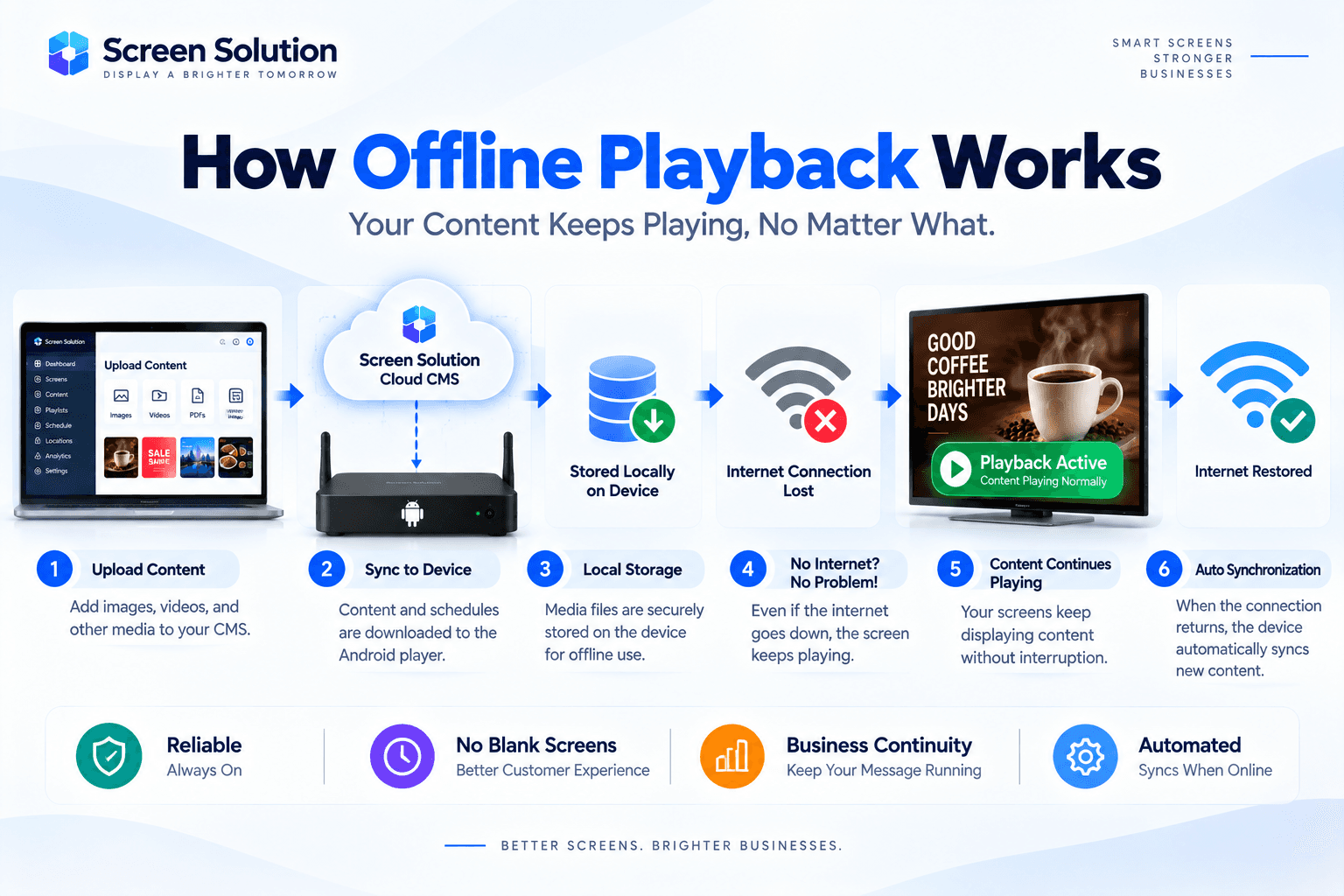
One of the most important features of modern signage solutions is offline playback.
If an internet connection becomes unavailable:
Existing content remains stored locally.
Screens continue playing scheduled media.
Content automatically synchronizes once connectivity returns.
This ensures uninterrupted communication and business continuity.
Multi-Screen Management
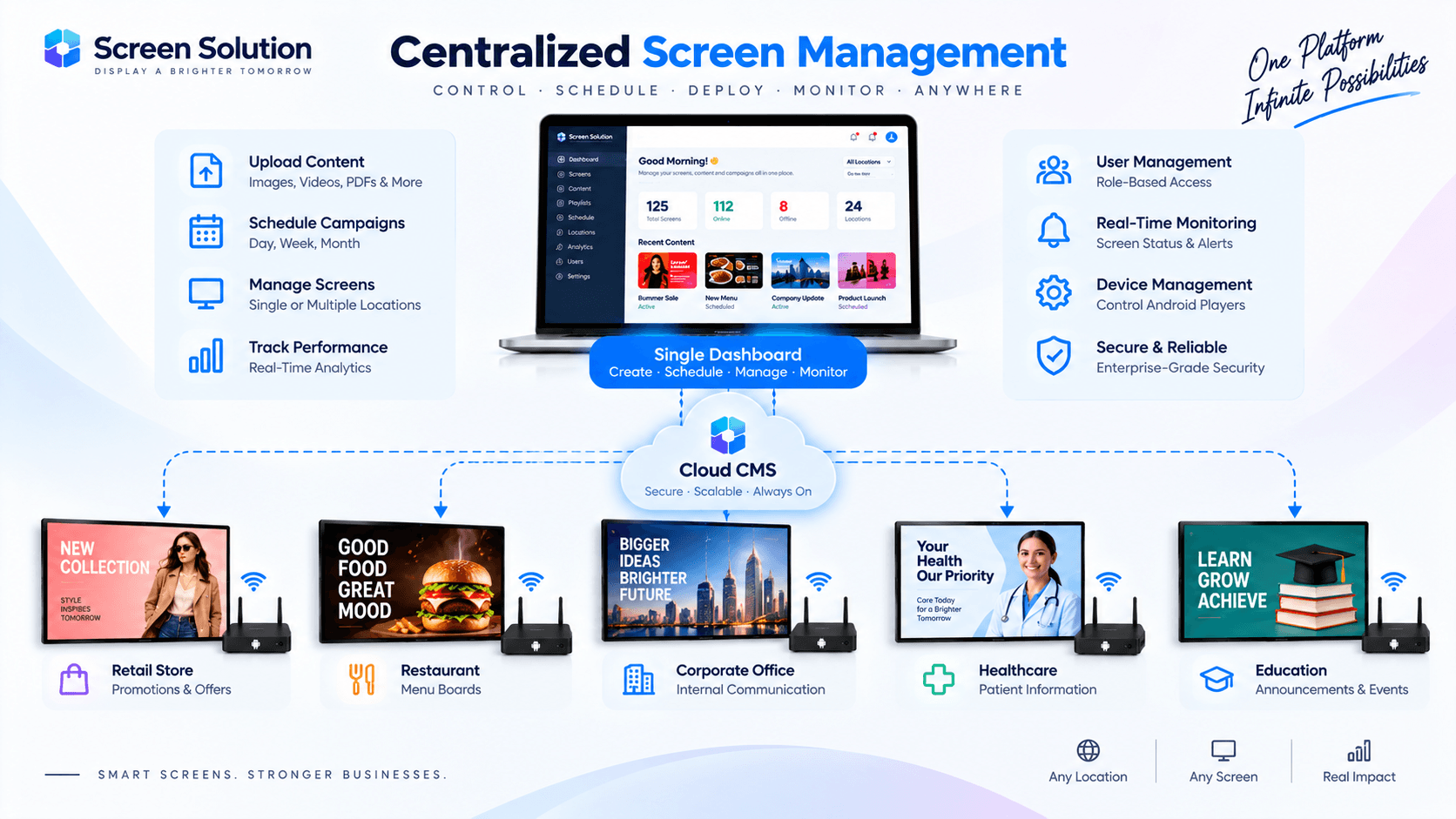
Organizations often manage displays across multiple locations.
A centralized CMS enables:
Group management
Content scheduling
User permissions
Device monitoring
Real-time updates
This significantly reduces operational overhead.
Security Considerations
Enterprise deployments require secure content delivery.
Best practices include:
Device authentication
Role-based access control
Secure cloud communication
Activity logging
Regular software updates
Real-World Applications
Android signage players are commonly used in:
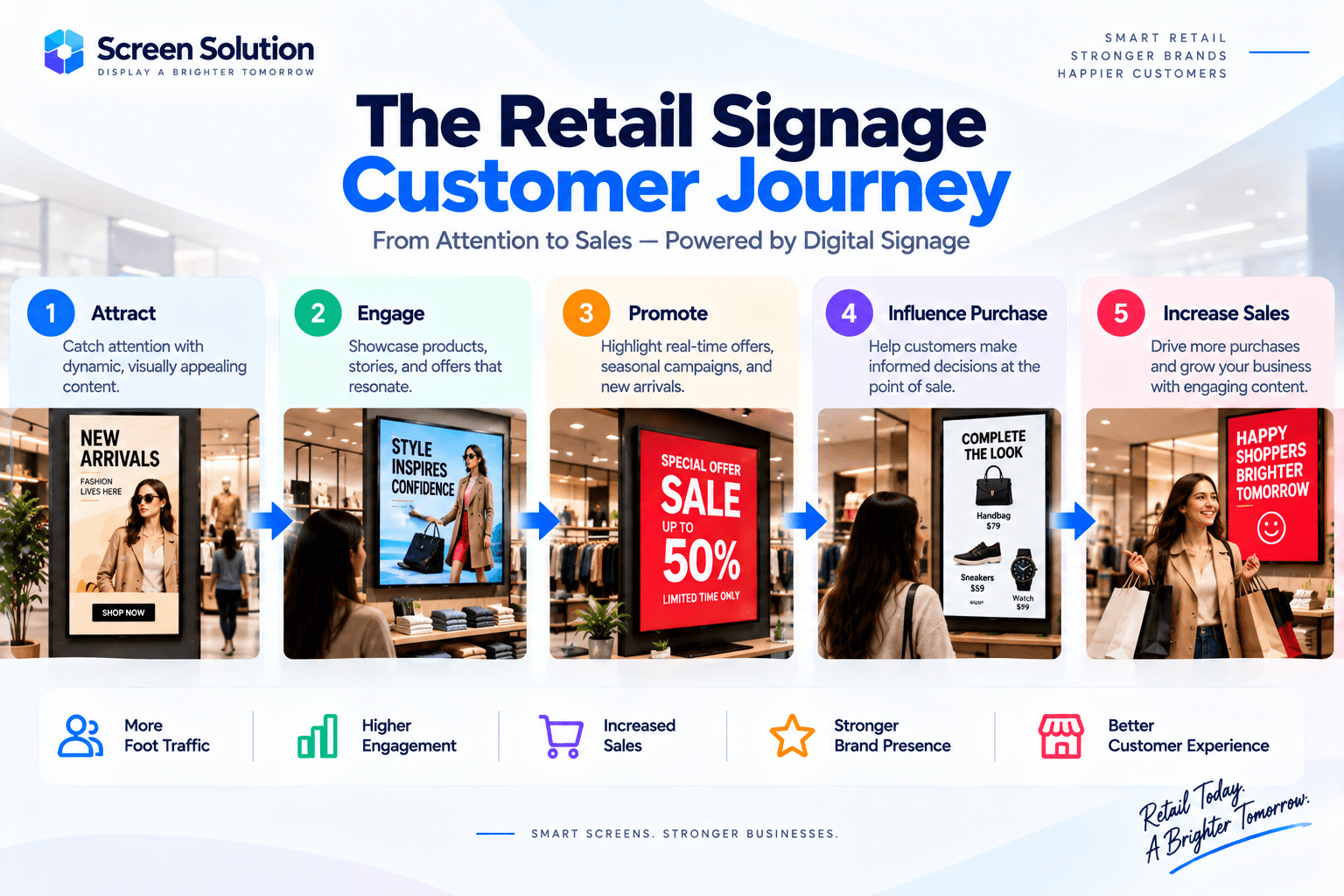
Retail Stores
Promotions, product launches, and dynamic advertising.
Restaurants
Digital menu boards and promotional campaigns.
Healthcare Facilities
Patient information and wayfinding.
Corporate Offices
Internal communications and dashboards.
Educational Institutions
Campus announcements and event updates.
Conclusion
Android Digital Signage Players have become the foundation of modern display networks. By combining cloud-based content management, remote administration, offline playback, and scalable deployment, businesses can efficiently manage screens across multiple locations.
Organizations looking to improve customer engagement and streamline content delivery should consider implementing a reliable Android-based digital signage platform.